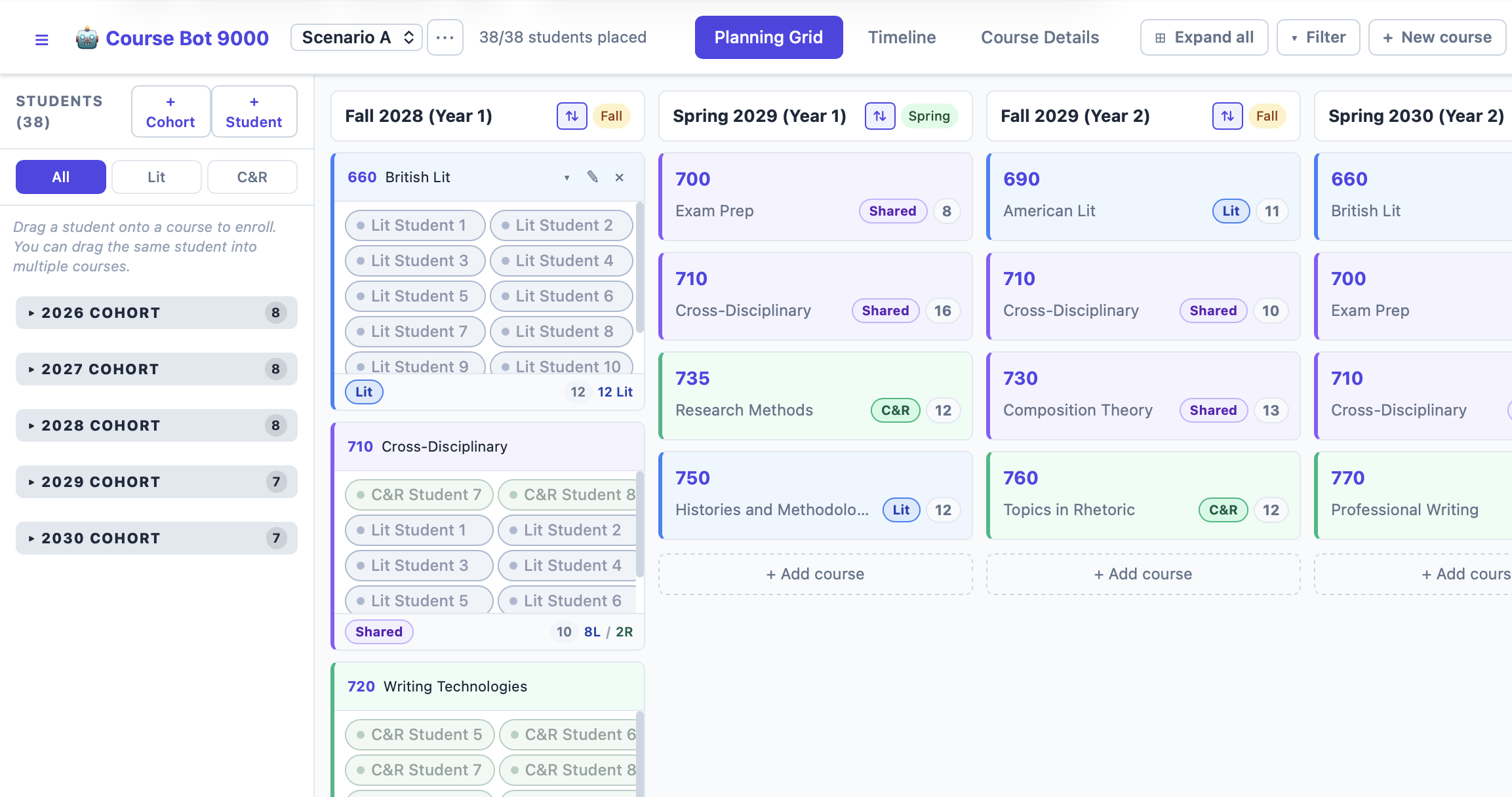
Like many software enthusiasts, I have been tinkering with Claude Code and building small applications that help me solve a problem. Last week, I created a webapp (using React & Vite) to visualize a graduate curriculum revision. In the world before Claude Code I would have done this in Excel, but I prefer working with webdev tools, and I like to pair these administrative tasks with a new technology. The work is more meaningful if I can learn something along the way.
The resulting app helped me manage multiple outcomes and variables: the curriculum has to serve disciplinary needs, the courses have to meet minimum enrollment requirements, and—because our graduate students are mostly on assistantships—the whole degree plan has to fit within a student’s awarded years of funding.
The final app offers a planning grid, a timeline, and a course details view. It also allows me to select any student and see their degree path. I added support for multiple scenarios, and I can compare various curricular proposals and analyze their possible impacts on the program.
The resulting tool is more user friendly than a spreadsheet but also offers visualizations that have been useful for explaining the curricular changes to others.
When describing Claude Code to friends, I’ve said that this feels like the most exciting technological change of my lifetime. I can now identify a problem, plan a solution, and—in an afternoon—develop a tool that helps me solve it. I’m sure that my enthusiasm is also shaped by the tool’s nascent era, and my stance on this may change as we move into the world of advertisements and upselling and vulnerabilities, which are sure to follow. But for the moment, I am having a blast.